Greetings! Today, I will introduce you to my scanning application written in Python called expl0r4bimus.py! You can access my code from here: https://github.com/norcholly/expl0r4bimus
PURPOSE OF THE TOOL
The distinctive feature of this tool that sets it apart from other scanning tools is that if there is an HTTP service running on port 80 or 8080, it performs directory scanning directly after completing the port scan. Once all processes are finished, it saves the output to the history folder. The colored interface is perfect for reading and understanding the outputs more effectively!
INSTALLATION STEPS
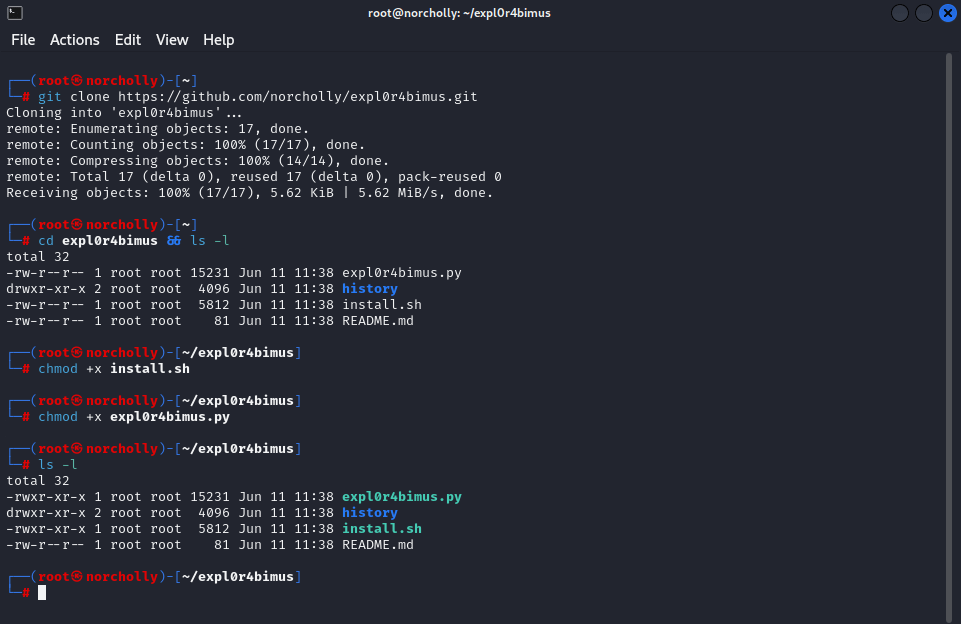
Let’s download the tool to our Linux using the command git clone https://github.com/norcholly/expl0r4bimus.git, and then grant executable permissions to all users using this command: chmod +x install.sh && chmod +x expl0r4bimus.py
USAGE GUIDE
Before running our application, we execute the command ./install.sh to check for the required libraries and download them if they are missing. This needs to be done only once.
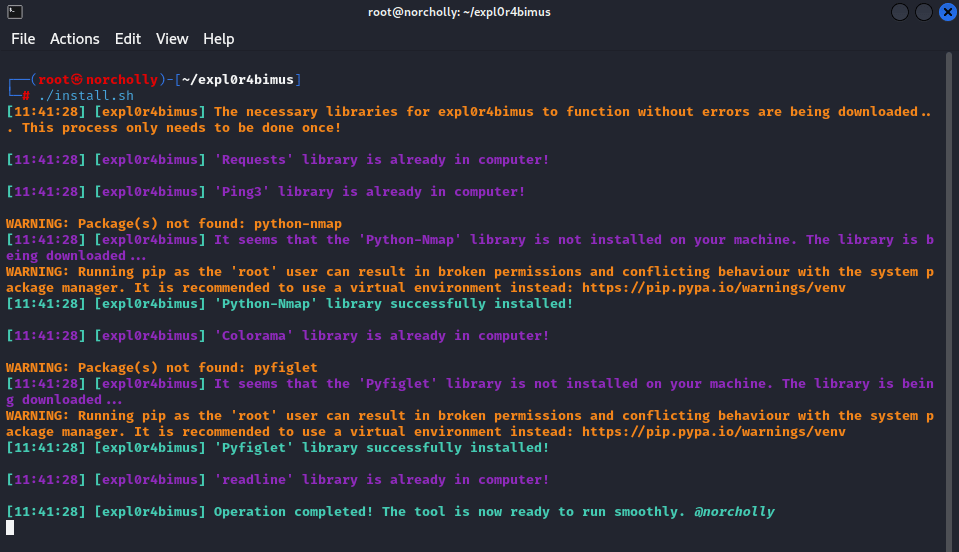
After checking for the necessary libraries, we run our application with the command python3 expl0r4bimus.py

HOW THE TOOL WORKS
Now it’s time to enter the necessary inputs! These include the target’s IP address, the list of directories to be scanned if ports 80 or 8080 are open, and the scanning speed.
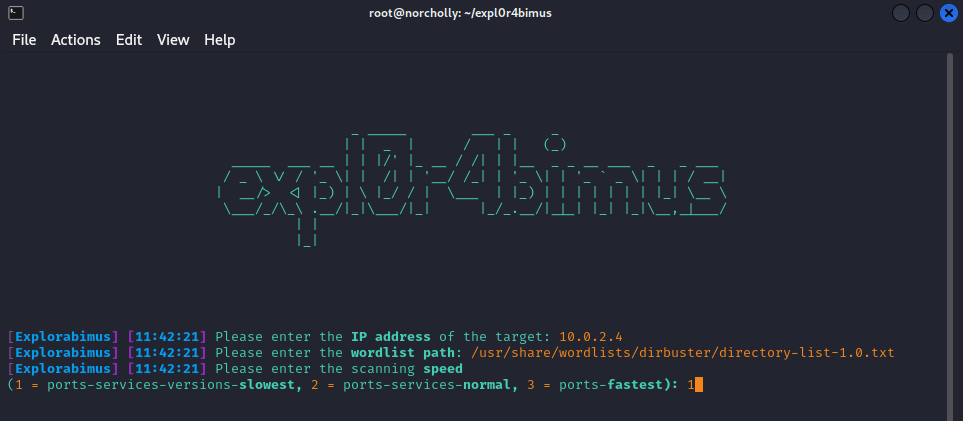
The scan has now begun. All we have to do is sit back and wait for expl0r4bimus to finish scanning.

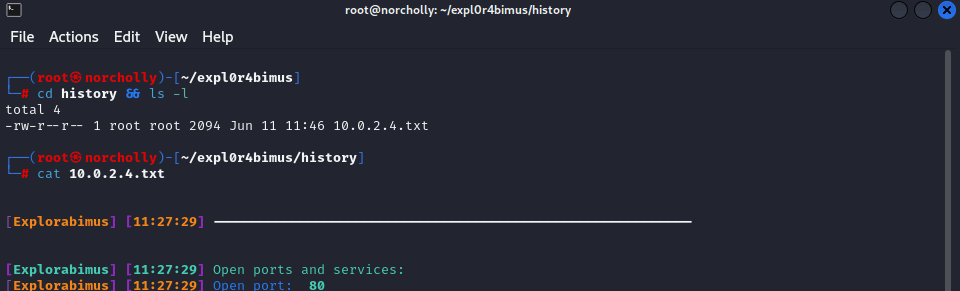
If the terminal closes and you want to view the output without rerunning the scan, you can do so as follows:
FAQ (FREQUENTLY ASKED QUESTIONS)
Question 1: The ping packets were not delivered; there was packet loss. What will happen now?
Answer: If the IP address is correctly entered, ICMP packets are sent every five seconds. The tool continues to work until a response is received. Once a response is received, it exits the loop and proceeds with the scanning process.
CONCLUSION
I hope this tool will be helpful for you. For feedback and contributions, you can reach me at alirfandogan@gmail.com
Thank you!

 ALI IRFAN DOGAN
Yorum bırakın